
Thermostat reads the wrong temperature
Find out whether sun, heat or drafts near the thermostat, or one of its settings, is throwing off the reading.
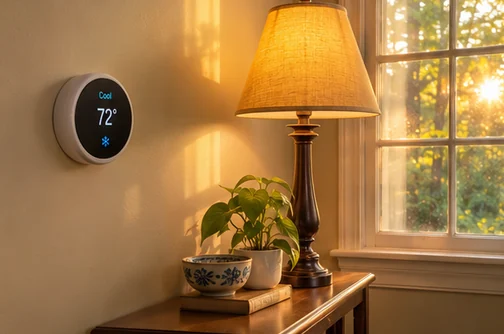
Short answer: Sun, lamps, appliances, vents or drafts near the thermostat often make it read wrong, and a Feels Like or offset setting can shift the display. Compare it with a thermometer, clear heat sources around it, check its settings and replace the batteries. If it’s still off, a technician should check the sensor or move it.
Check the warning signs below first.
Use this guide at your own risk. It’s general information, not professional advice. By using it, you agree to our Terms of Use and Safety Waiver.
Check for danger first
If any of these are present, stop here.
- Gas odor, smoke or fire. Leave immediately. From outside, call emergency services. For a gas odor, also call the gas utility. Leave lights and switches alone.
- Burning smell, scorch marks, a hot outlet or a buzzing panel. Stop and call an electrician. Stay clear of a suspect panel.
- Water near electrical equipment or exposed wiring. Keep away. Never cross water to reach a plug or breaker. Call a qualified electrician.
None of these warning signs? Open the checks
What to check
Have ready. An accurate thermometer, fresh batteries if your thermostat uses them, and its manual or app.
Compare it with a thermometer.
Set an accurate thermometer next to the thermostat and give both time to settle. If the readings don’t match, keep going.
Look at what’s around it.
Sun through a window, a lamp or TV, kitchen appliances, a vent blowing on it, or drafts from a door or window can all skew the reading. Move lamps and electronics away and close blinds that let sun hit it.
Check the settings.
Some thermostats have a Feels Like setting that shows a warmer reading when humidity is high. Many have a calibration or offset setting; on some Honeywell models it shifts the display up to 3 degrees. If you use room sensors, check which one it reads from.
Replace the batteries.
If your thermostat uses batteries, put in fresh ones. It’s a first step manufacturers suggest when a thermostat acts up.
When to stop. If it still reads wrong after these checks, call an HVAC technician. The sensor may be failing, or the thermostat may need replacing or moving to a better wall. Moving a thermostat means electrical wiring, so leave it to a licensed HVAC technician.
What it costs
- The checks above: free.
- Pro thermostat replacement: $85–$300, about $200 on average.
- Pro thermostat installation, national average: $125–$315.
- Moving a thermostat: $200–$560, since it means rerouting the wiring and patching the wall.
National US ranges from 2025–2026 cost guides: Fixr · Thumbtack. Prices in your area may differ.
Common causes
- Sun, lamps or appliances nearby. Heat from sunlight, a lamp, a TV or kitchen appliances warms the thermostat, so it reads high. You can check
- Drafts or a vent blowing on it. Air from a door, a drafty window or a supply vent makes it read the air stream, not the room. You can check
- A display setting. A Feels Like setting, an offset or the room sensor it reads from can change the number it shows. You can check
- Bad location on the wall. A thermostat on an outside wall or one shared with the garage picks up outdoor temperature; moving it is a job for a technician. Call a pro
- Sensor needs recalibration or has failed. If settings don’t fix it, the internal sensor may need adjusting by a contractor or the thermostat may need replacing. Call a pro
Sources: Lennox · Honeywell Home · Carrier · Trane.
Further reading · Lennox
Still stuck? Get help with your exact problem.
Snap a photo and tell the app what you’ve tried. It walks you through your model, one safe step at a time, and tells you when to call a pro. Your first fix in the app is free.
The app is coming soon. Get one email the day it launches.
One email when the app launches. No spam. Privacy Policy