
Mini split not cooling
Check the remote, the filters in the indoor unit, the outdoor unit and the error lights before you call your installer.
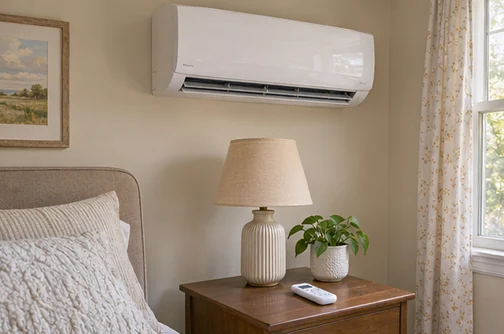
Short answer: Most often the remote is on the wrong mode or has dead batteries, the filters in the indoor unit are clogged, or the outdoor unit is blocked. Check the remote, clean the filters, clear around the outdoor unit and write down any error lights. If it still won’t cool, call an HVAC technician; refrigerant leaks are pro work.
Check the warning signs below first.
Use this guide at your own risk. It’s general information, not professional advice. By using it, you agree to our Terms of Use and Safety Waiver.
Check for danger first
If any of these are present, stop here.
- Gas odor, smoke or fire. Leave immediately. From outside, call emergency services. For a gas odor, also call the gas utility. Leave lights and switches alone.
- Burning smell, scorch marks, a hot outlet or a buzzing panel. Stop and call an electrician. Stay clear of a suspect panel.
- Water near electrical equipment or exposed wiring. Keep away. Never cross water to reach a plug or breaker. Call a qualified electrician.
None of these warning signs? Open the checks
What to check
Have ready. Fresh remote batteries, the owner’s manual, a soft brush, and a pen to write down any blinking lights or codes.
Check the remote.
Set it to Cool (often a snowflake), not Fan or Dry, and set the temperature several degrees below the room. Make sure no timer is set, and put fresh batteries in the remote. After a restart, the compressor may wait about 3 minutes before it runs.
Clean the filters in the indoor unit.
Turn the unit off with the remote. Open the front panel the way your manual shows, take out the reusable filters and clean them as the manual says. Let them dry fully before you put them back. A clogged filter blocks air from the coil.
Clear around the outdoor unit.
Remove leaves, twigs and other debris, and trim plants back at least 2 feet. With the system on Cool, the outdoor unit should be running and blowing air out. If it doesn’t run at all, that points to a bigger problem for a technician.
Write down any error lights.
If lights on the indoor unit blink or the remote shows a code, count the blinks of each light or copy the code. Codes differ by brand and model, so look it up in your owner’s manual or give it to your installer.
When to stop. If it still won’t cool, the indoor coil has ice on it, you hear hissing, or a code keeps coming back, stop and call an HVAC technician. Refrigerant leaks and electrical parts are pro work; don’t add refrigerant yourself.
What it costs
- The checks above: free.
- Pro mini split repair: $300–$1,000.
- Refrigerant leak repair: $200–$1,500.
- Diagnostic fee: about $75–$150, which some companies apply toward the repair.
National US ranges from 2025–2026 cost guides: Fixr · This Old House. Prices in your area may differ.
Common causes
- Wrong mode or dead remote batteries. In Fan or Dry mode, or with the setting above room temperature, the unit moves air without cooling it. You can check
- Dirty filters. A clogged filter blocks air from passing over the coil, so less cooling reaches the room. You can check
- Blocked outdoor unit. Leaves, dirt or plants around the outdoor coil reduce how much heat it can get rid of. You can check
- Frozen indoor coil. Dirt on the coil, dirty filters or a refrigerant leak can make it freeze, which needs a technician. Call a pro
- Refrigerant leak. Refrigerant isn’t used up, so low refrigerant means a leak that only a trained technician can find, fix and recharge. Call a pro
- Failed part shown by an error code. Blinking lights or a code point the technician to the fault, and the meaning depends on the brand. Call a pro
Sources: Trane · Carrier · Fujitsu (Airstage) · Fujitsu General (indicator lamps).
Further reading · Trane
Still stuck? Get help with your exact problem.
Snap a photo and tell the app what you’ve tried. It walks you through your model, one safe step at a time, and tells you when to call a pro. Your first fix in the app is free.
The app is coming soon. Get one email the day it launches.
One email when the app launches. No spam. Privacy Policy