
Ceiling light not working
Check the bulb, the switches, the breaker and smart bulb settings, and know when the fixture itself needs an electrician.
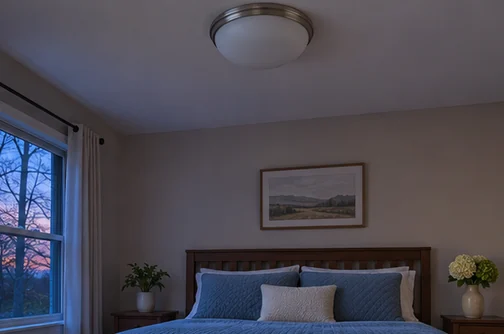
Short answer: Most often it’s a dead or loose bulb, a switch that’s off, or a tripped breaker. Try a known-good bulb, check every switch and the pull chain, check the breaker and nearby GFCIs, and keep the wall switch on for a smart bulb. If it still won’t light, or the pull chain or socket is damaged, call a licensed electrician.
Check the warning signs below first.
Use this guide at your own risk. It’s general information, not professional advice. By using it, you agree to our Terms of Use and Safety Waiver.
Check for danger first
If any of these are present, stop here.
- Gas odor, smoke or fire. Leave immediately. From outside, call emergency services. For a gas odor, also call the gas utility. Leave lights and switches alone.
- Burning smell, scorch marks, a hot outlet or a buzzing panel. Stop and call an electrician. Stay clear of a suspect panel.
- Water near electrical equipment or exposed wiring. Keep away. Never cross water to reach a plug or breaker. Call a qualified electrician.
None of these warning signs? Open the checks
What to check
Have ready. A new bulb that matches the fixture, a step stool, a flashlight and the location of your breaker panel.
Try a bulb you know works.
With the switch off and the bulb cool, screw in a working bulb until it is snug. A bulb can look fine and still be dead, or be loose in the socket. On a ceiling fan light, use bulbs within the kit’s wattage rating, because some kits have a limiter that keeps the light off with higher-wattage bulbs.
Check every switch.
Try each wall switch in the room, since one that seems unused may control the light. If the fixture has a pull chain, pull it once and try the wall switch again. A working pull switch feels firm and clicks.
Check the breaker and nearby GFCIs.
If other lights or outlets in the area are also out, look for a tripped breaker and switch it fully off, then on, once. Press RESET once on any tripped GFCI outlet nearby. If the breaker trips again, leave it off and call an electrician.
For a smart bulb, leave the wall switch on.
A smart bulb needs power to respond to its app. Turn the wall switch on and leave it on, make sure the bulb is tight, and follow the bulb maker’s steps to restart or reset it.
When to stop. If a good bulb still won’t light, the pull chain is loose, broken or doesn’t click, or the socket or fixture looks scorched, buzzes or smells burnt, turn it off and call a licensed electrician. Fixing the switch, socket or wiring means opening the fixture.
What it costs
- The checks above: free.
- Pro ceiling light installation: $90–$185 for a standard ceiling light.
- Electrician work on a light fixture: $150–$900. Electricians charge about $40–$120 an hour.
National US ranges from 2025–2026 cost guides: Thumbtack · This Old House. Prices in your area may differ.
Common causes
- Dead or loose bulb. A bulb can fail without looking burned out, or sit too loose in the socket to make contact. You can check
- Switch off or the wrong switch. A wall switch that seems unused may control the light, and a pull chain can leave it off. You can check
- Tripped breaker. If other things nearby are dead too, a breaker for that part of the house has probably tripped. You can check
- Smart bulb without power. Turning off the wall switch cuts power, so the bulb can’t respond to its app. You can check
- Worn pull-chain switch. A pull switch that is loose, broken or doesn’t click has to be replaced inside the fixture. Call a pro
- Burnt socket or damaged wiring. Scorch marks, melted parts or frayed wires inside the fixture need an electrician. Call a pro
Sources: Family Handyman · Hunker · Roku Smart Home.
Further reading · Family Handyman
Still stuck? Get help with your exact problem.
Snap a photo and tell the app what you’ve tried. It walks you through your model, one safe step at a time, and tells you when to call a pro. Your first fix in the app is free.
The app is coming soon. Get one email the day it launches.
One email when the app launches. No spam. Privacy Policy