
Video doorbell not working
Tell whether the doorbell has a dead battery, has lost Wi-Fi, or isn’t getting enough power from the doorbell transformer.
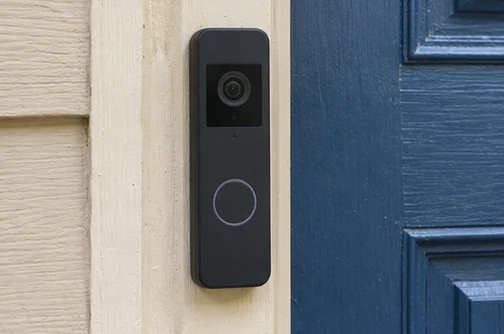
Short answer: A video doorbell usually stops working because of a dead battery, lost Wi-Fi, or too little power from the doorbell transformer. Charge the battery, check Wi-Fi and the breaker, then restart it. If a wired doorbell still has no power or a poor power rating, call a licensed electrician.
Check the warning signs below first.
Use this guide at your own risk. It’s general information, not professional advice. By using it, you agree to our Terms of Use and Safety Waiver.
Check for danger first
If any of these are present, stop here.
- Gas odor, smoke or fire. Leave immediately. From outside, call emergency services. For a gas odor, also call the gas utility. Leave lights and switches alone.
- Burning smell, scorch marks, a hot outlet or a buzzing panel. Stop and call an electrician. Stay clear of a suspect panel.
- Water near electrical equipment or exposed wiring. Keep away. Never cross water to reach a plug or breaker. Call a qualified electrician.
None of these warning signs? Open the checks
What to check
Have ready. Your phone with the doorbell’s app, the charging cable for battery models, and your Wi-Fi password.
Charge the battery on battery models.
Charge it fully with its own cable from a wall outlet. A Ring battery can take up to 10 hours. Batteries drain faster in cold weather, and some won’t charge below 32°F, so charge it indoors.
Check your Wi-Fi.
See whether other devices can get online. If not, unplug the router and modem for 30 seconds, then plug them back in. If only the doorbell is offline, use the app’s option to reconnect it to Wi-Fi.
Check the breaker on wired models.
Make sure the breaker that feeds the doorbell is on. If the app shows a poor power rating, or the chime buzzes or hums, the doorbell transformer may not be giving it enough power.
Restart the doorbell.
On battery models, take the battery out for about 15 seconds and put it back. On wired models, switch the doorbell’s breaker off and back on. Save a factory reset for last, since it removes the doorbell from your account.
When to stop. If a wired doorbell still has no power or a poor power rating, stop and call a licensed electrician. Checking or replacing the transformer and doorbell wiring is electrician work.
What it costs
- The checks above: free.
- Doorbell camera installed by a pro: $125–$300.
- Smart doorbell installed: $150–$500; electricians charge about $40–$120 an hour.
National US ranges from 2025–2026 cost guides: Fixr · Fixr home automation · This Old House. Prices in your area may differ.
Common causes
- Dead or cold battery. Battery models stop when the battery runs down, and cold weather drains it faster. You can check
- Lost Wi-Fi connection. A router problem or a changed Wi-Fi password leaves the doorbell offline until it’s reconnected. You can check
- Breaker off on a wired model. A wired doorbell gets no power if the breaker that feeds its transformer is off. You can check
- Transformer too weak. Wired video doorbells need about 16–24 volts AC; a weaker transformer causes shutoffs and chime buzzing. Call a pro
- Wiring or chime problem. Loose or damaged doorbell wiring or a chime issue can cut power to the doorbell. Call a pro
Sources: Ring · Ring offline devices · Google Nest · Arlo.
Further reading · Ring
Still stuck? Get help with your exact problem.
Snap a photo and tell the app what you’ve tried. It walks you through your model, one safe step at a time, and tells you when to call a pro. Your first fix in the app is free.
The app is coming soon. Get one email the day it launches.
One email when the app launches. No spam. Privacy Policy