
Surge protector or power strip not working
Check the wall outlet, reset the strip, find an overload and read the protection light to tell if it needs replacing.
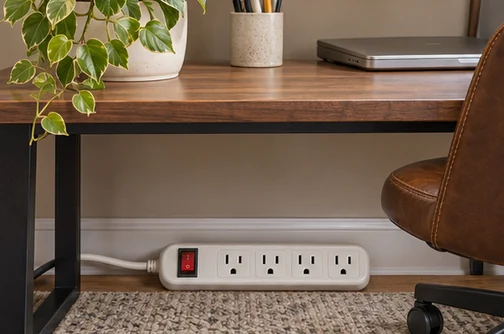
Short answer: Usually the wall outlet has no power, the strip’s breaker tripped from an overload, or its surge protection is used up. Test the outlet with a lamp, unplug everything and reset the strip, plug devices back one at a time, and read the protection light. A strip that is spent, hot or damaged should be replaced, and a dead or hot wall outlet needs a licensed electrician.
Check the warning signs below first.
Use this guide at your own risk. It’s general information, not professional advice. By using it, you agree to our Terms of Use and Safety Waiver.
Check for danger first
If any of these are present, stop here.
- Gas odor, smoke or fire. Leave immediately. From outside, call emergency services. For a gas odor, also call the gas utility. Leave lights and switches alone.
- Burning smell, scorch marks, a hot outlet or a buzzing panel. Stop and call an electrician. Stay clear of a suspect panel.
- Water near electrical equipment or exposed wiring. Keep away. Never cross water to reach a plug or breaker. Call a qualified electrician.
None of these warning signs? Open the checks
What to check
Have ready. A lamp or phone charger that you know works, the strip’s brand and model, and a note of what was plugged in.
Test the wall outlet.
Unplug the strip and plug a working lamp or charger straight into the wall outlet. If that doesn’t work either, the problem is the outlet. Check the breaker and any tripped GFCI before you blame the strip.
Unplug everything, then reset.
Unplug every device from the strip. If it has a reset button or a breaker switch, press it to reset. You can also unplug the strip for a few minutes and then plug it into another outlet that you know works.
Plug devices back in one at a time.
Too many high-power devices can trip the strip. If it trips when one device goes back in, that device may be faulty. Plug space heaters and other large appliances straight into a wall outlet. Never plug a strip into another strip or an extension cord.
Read the protection light.
If the protected light stays off, the surge protection is used up. The strip may still pass power, but it no longer protects your devices and should be replaced. If a grounded light is off, have an electrician check the outlet.
When to stop. If the strip is hot, scorched, melted, smells burnt or keeps tripping, unplug it and replace it. Strips can’t be repaired. If the wall outlet is dead, warm, scorched or sparks, turn off its breaker and call a licensed electrician.
What it costs
- The checks above: free.
- Electrician to add an outlet (instead of chaining strips): $120–$200, about $141 on average.
- One outlet or switch installed: about $296. Most jobs run $253–$711.
National US ranges from 2025–2026 cost guides: Fixr · Thumbtack. Prices in your area may differ.
Common causes
- No power at the wall outlet. A tripped breaker or GFCI leaves the strip with nothing to pass along. You can check
- Overload tripped the strip. Too many high-power devices can trip the strip’s own breaker or the one in the panel. You can check
- Surge protection used up. Surge parts have a limited life, and when the protected light goes out the strip should be replaced. You can check
- A faulty device. A device that draws too much power can trip the strip as soon as it’s plugged in. You can check
- Strips or cords chained together. Plugging strips into each other or into extension cords can overload them and cause heat or a fire. You can check
- Outlet not grounded. If the strip’s grounded light is off, an electrician should check the outlet’s grounding. Call a pro
Sources: APC by Schneider Electric · Philips · Belkin · Office of Congressional Workplace Rights.
Further reading · Philips
Still stuck? Get help with your exact problem.
Snap a photo and tell the app what you’ve tried. It walks you through your model, one safe step at a time, and tells you when to call a pro. Your first fix in the app is free.
The app is coming soon. Get one email the day it launches.
One email when the app launches. No spam. Privacy Policy