
Microwave door won’t open
Check the door lock feature, the release button and the latch area without forcing the door.
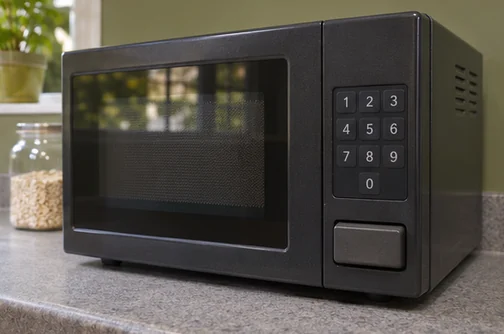
Short answer: A stuck microwave door is often a door lock feature, a release button not pressed fully, or grease in the latch. Check those and reset the power. If it still won’t open, don’t pry it or open the cabinet. Call the manufacturer or a technician.
Check the warning signs below first.
Use this guide at your own risk. It’s general information, not professional advice. By using it, you agree to our Terms of Use and Safety Waiver.
Check for danger first
If any of these are present, stop here.
- Gas odor, smoke or fire. Leave immediately. From outside, call emergency services. For a gas odor, also call the gas utility. Leave lights and switches alone.
- Burning smell, scorch marks, a hot outlet or a buzzing panel. Stop and call an electrician. Stay clear of a suspect panel.
- Water near electrical equipment or exposed wiring. Keep away. Never cross water to reach a plug or breaker. Call a qualified electrician.
None of these warning signs? Open the checks
What to check
Have ready. Your owner’s manual, a damp cloth, and where your breaker panel is if the microwave is built in.
Press the release firmly.
On push-button doors, press the door release all the way in. Press and release it gently a few times to see if it frees up.
Check for a door or safety lock.
Some models lock the door while cooking, and Whirlpool models with this feature open by pressing Stop, then the door release. Some brands have a safety lock that keeps the door shut. Your manual shows how to turn it off.
Reset the power.
Unplug a countertop microwave for a few minutes, then plug it back in. For a built-in or over-the-range microwave, switch its breaker off for a few minutes instead.
Clean around the latch.
Wipe crumbs and grease from the door edge and latch area with a damp cloth. Make sure the microwave sits flat and nothing blocks the door.
When to stop. If the door still won’t open, stop. Don’t pry it, which can damage the microwave, and never open the cabinet: the high-voltage capacitor inside can stay charged after unplugging. Call the manufacturer or an appliance technician, or replace the microwave.
What it costs
- The checks above: free.
- Pro microwave repair: $121–$308 on average.
- Common fixes: a door switch, $50–$100; a new door for a broken latch, $200–$500.
National US ranges from 2025–2026 cost guides: Thumbtack · Fixr. Prices in your area may differ.
Common causes
- Door lock feature on. Some models lock the door during cooking or have a safety lock that must be turned off per the manual. You can check
- Release not pressed fully. A push-button release that isn’t pressed all the way won’t free the latch. You can check
- Grease or crumbs in the latch. Food buildup around the door edge can keep the latch from releasing. You can check
- Broken button or latch. A loose sound or a change in how the button feels means the door mechanism needs repair. Call a pro
- Damaged door, hinges or seals. The FDA says a microwave with a damaged door, latch or seal shouldn’t be used until the manufacturer checks it. Call a pro
Sources: Whirlpool · Panasonic · GE Appliances · FDA.
Further reading · Whirlpool
Still stuck? Get help with your exact problem.
Snap a photo and tell the app what you’ve tried. It walks you through your model, one safe step at a time, and tells you when to call a pro. Your first fix in the app is free.
The app is coming soon. Get one email the day it launches.
One email when the app launches. No spam. Privacy Policy