Gas stove keeps clicking
Tell whether a knob isn’t fully off, a spill or cleaning left moisture, or a burner cap is out of place, and when the igniter switch needs a pro.
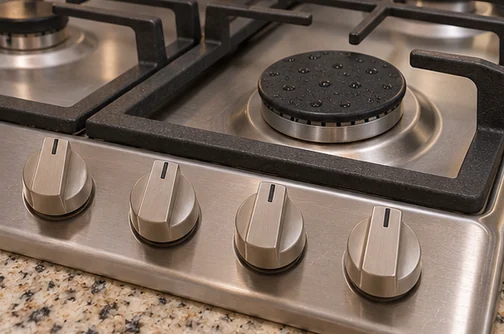
Short answer: A gas stove that keeps clicking usually has a knob not fully off, moisture in the switches or burner from a spill or cleaning, or a burner cap out of place. Turn every knob to OFF, unplug it and let it dry, reseat the caps and test once. If it still clicks with all knobs off after drying overnight, leave it unplugged and call an appliance technician.
Check the warning signs below first.
Use this guide at your own risk. It’s general information, not professional advice. By using it, you agree to our Terms of Use and Safety Waiver.
Check for danger first
If any of these are present, stop here.
- Gas odor, smoke or fire. Leave immediately. From outside, call emergency services. For a gas odor, also call the gas utility. Leave lights and switches alone.
- Burning smell, scorch marks, a hot outlet or a buzzing panel. Stop and call an electrician. Stay clear of a suspect panel.
- Water near electrical equipment or exposed wiring. Keep away. Never cross water to reach a plug or breaker. Call a qualified electrician.
None of these warning signs? Open the checks
What to check
Have ready. A flashlight, a dry towel, a hair dryer, the range’s manual, and access to its plug or breaker.
Turn every knob fully to OFF.
A knob left near LITE keeps the igniters sparking. Check each burner knob and turn it firmly to OFF. Clicking only while a knob is on LITE is normal.
Unplug it and let it dry.
Clicking after cleaning or a spill usually means water got into the switches or the burner. Unplug the range or turn off its breaker, then let it dry for a few hours or overnight. To speed it up, pull off the knobs and blow cool air from a hair dryer at the knob shafts.
Dry and reseat the burner caps.
With the burners off and cool and the power off, lift off the grates, caps and burner heads and dry them fully. Put each head and cap back on its own burner. A cap should sit flat and flush, with little side-to-side movement.
Restore power and test once.
Plug it back in or turn the breaker on and listen. It can take up to 10 or 12 clicks to light a burner, and the clicking should stop once it lights. If it clicks with every knob off, unplug it again.
When to stop. If it still clicks with every knob off after drying overnight, or keeps clicking after the burner lights, leave it unplugged and don’t use the cooktop until an appliance technician checks it. The igniter switches and spark module are inside the range. If you smell gas, leave the house and call the gas utility from outside.
What it costs
- The checks above: free.
- Pro stove repair: $136–$346 on average.
- Cooktop or range repair: $100–$430, about $250 on average.
National US ranges from 2025–2026 cost guides: Thumbtack · This Old House. Prices in your area may differ.
Common causes
- Knob not fully off. A knob resting near LITE keeps the spark igniters running. You can check
- Moisture from a spill or cleaning. Water in the switches or the burner’s ignition port can keep the igniters sparking until it dries. You can check
- Burner cap or head out of place. A cap that isn’t seated flat, or sits on the wrong burner, can keep the burner from lighting. You can check
- Clogged burner ports. Food or debris in the ports slows ignition, so the igniter keeps clicking. You can check
- Igniter switch failed. A switch damaged by liquid can stay shorted and spark nonstop; it’s replaced from inside the cooktop. Call a pro
- Spark module or wiring failing. A failing module or loose wiring can make the igniters spark erratically; both are behind the range’s panels. Call a pro
Sources: GE Appliances · GE burner ignition · Whirlpool · AppliancePartsPros.
Further reading · GE Appliances
Still stuck? Get help with your exact problem.
Snap a photo and tell the app what you’ve tried. It walks you through your model, one safe step at a time, and tells you when to call a pro. Your first fix in the app is free.
The app is coming soon. Get one email the day it launches.
One email when the app launches. No spam. Privacy Policy