
Garage door keypad not working
Tell whether the keypad has a dead battery, the opener is locked or has no power, or the keypad needs to be reprogrammed.
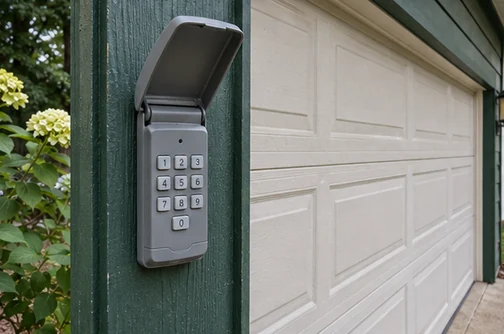
Short answer: A dead battery is the most common cause, followed by a keypad that needs reprogramming. Replace the battery, check Lock mode and power at the opener, then reprogram the PIN with your manual. If it still fails, a garage door technician should check the keypad and the opener’s receiver.
Check the warning signs below first.
Use this guide at your own risk. It’s general information, not professional advice. By using it, you agree to our Terms of Use and Safety Waiver.
Check for danger first
If any of these are present, stop here.
- Gas odor, smoke or fire. Leave immediately. From outside, call emergency services. For a gas odor, also call the gas utility. Leave lights and switches alone.
- Burning smell, scorch marks, a hot outlet or a buzzing panel. Stop and call an electrician. Stay clear of a suspect panel.
- Water near electrical equipment or exposed wiring. Keep away. Never cross water to reach a plug or breaker. Call a qualified electrician.
None of these warning signs? Open the checks
What to check
Have ready. A new battery of the type your keypad uses (most use 9-volt), a working remote, and your opener’s manual.
Replace the keypad battery.
A dead battery is the most common reason a keypad stops working. Most keypads use a 9-volt battery; some older models use a 12-volt. Check the contacts for corrosion.
Test a remote and the wall button.
If the wall button works but the remotes don’t work either, check the wall control for Lock or vacation mode. On Chamberlain and LiftMaster, press and hold the Lock button until its light stops flashing. On Genie, turn Sure-Lock off.
Make sure the opener has power.
If the opener does nothing at all, plug a lamp into the outlet the opener uses. If the lamp won’t light, check the breaker once.
Reprogram the keypad.
After a battery change the keypad may need its PIN programmed again. Follow your manual’s steps using the Learn button on the opener. If that fails, try a completely different PIN, since one worn button can stop the old code.
When to stop. If it still won’t work after a new battery and reprogramming, stop and call a garage door technician. The keypad or the opener’s receiver board may have failed. Don’t work on the springs, cables or opener wiring.
What it costs
- The checks above: free.
- Pro garage door opener repair: $100–$300.
- Garage door repair visit: $235–$695, most people pay about $403.
National US ranges from 2025–2026 cost guides: Fixr · Thumbtack. Prices in your area may differ.
Common causes
- Dead keypad battery. Chamberlain names a dead battery as the most common reason a wireless keypad stops working. You can check
- Lock or vacation mode is on. With Lock mode on, the opener ignores remote commands until it’s turned off at the wall control. You can check
- Keypad lost its programming. After a battery change, or if the opener’s memory was cleared, the PIN has to be programmed again. You can check
- Interference from the mounting surface. Chamberlain notes some surfaces interfere with the keypad’s signal; testing it off the wall shows this. You can check
- Failed keypad or receiver board. If a new battery and reprogramming don’t help, the keypad or the opener’s logic board may have failed. Call a pro
Sources: Chamberlain · Chamberlain remotes · Genie.
Further reading · Chamberlain
Still stuck? Get help with your exact problem.
Snap a photo and tell the app what you’ve tried. It walks you through your model, one safe step at a time, and tells you when to call a pro. Your first fix in the app is free.
The app is coming soon. Get one email the day it launches.
One email when the app launches. No spam. Privacy Policy