
EV charger not charging at home
Tell whether your Level 2 charger is waiting on a schedule, has a connection or fault to clear, or has lost power.
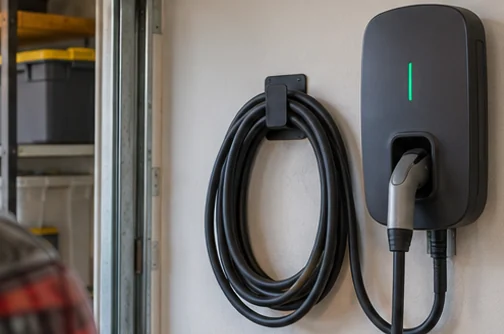
Short answer: A home charger that won’t charge is often waiting on a schedule or charge limit in the car or app, or needs the connector replugged to clear a fault. Check both apps, replug firmly, then read the status light and check the breaker once. If the fault stays or the breaker trips again, call the charger maker or a licensed electrician and never open the charger.
Check the warning signs below first.
Use this guide at your own risk. It’s general information, not professional advice. By using it, you agree to our Terms of Use and Safety Waiver.
Check for danger first
If any of these are present, stop here.
- Gas odor, smoke or fire. Leave immediately. From outside, call emergency services. For a gas odor, also call the gas utility. Leave lights and switches alone.
- Burning smell, scorch marks, a hot outlet or a buzzing panel. Stop and call an electrician. Stay clear of a suspect panel.
- Water near electrical equipment or exposed wiring. Keep away. Never cross water to reach a plug or breaker. Call a qualified electrician.
None of these warning signs? Open the checks
What to check
Have ready. Your car’s app or screen, the charger’s app, the charger’s manual or status-light chart, and a flashlight for the breaker panel.
Check the car’s schedule and charge limit.
Many cars wait for a set start time or off-peak hours, and stop when they reach their charge limit. Check the car’s app or screen for a charging schedule, a departure time, or a battery that is already at its limit.
Check the charger’s app.
Make sure the charger is turned on and no schedule is blocking charging. If the app shows it offline, check your Wi-Fi. Some chargers still charge on their schedule when Wi-Fi is down.
Unplug and plug in firmly.
Take the connector out of the car, wait about 15 seconds, and push it back in until it latches. ChargePoint says most of its faults clear this way.
Read the status light and check the breaker.
Compare the charger’s light to the chart in its manual. No light at all can mean no power, so check the charger’s breaker. If it has tripped, switch it fully off and then on once. If it trips again, leave it off.
When to stop. If the fault light stays on, the breaker trips again, or the cable, plug or charger is damaged, hot or smells like burning, stop. Leave the breaker off and contact the charger maker’s support or a licensed electrician. Never open the charger.
What it costs
- The checks above: free.
- Electrician service visit: about $176–$327.
- EV charger work by an electrician: $291–$978.
- If the charger must be replaced: a hardwired Level 2 unit runs $850–$1,800 installed.
National US ranges from 2025–2026 cost guides: Fixr · Thumbtack · Fixr EV chargers. Prices in your area may differ.
Common causes
- A schedule or charge limit. A charging schedule, departure time or charge limit in the car or the charger app holds charging back. You can check
- Connector not fully latched. If the plug isn’t pushed in until it locks, the car and charger won’t start a session. You can check
- A fault that needs clearing. Many chargers show a red or fault light that a replug or restart clears. You can check
- Tripped breaker. A tripped breaker leaves the charger with no power and usually no lights. You can check
- Failed charger or circuit. A fault that keeps coming back, or a breaker that keeps tripping, points to the charger or its wiring. Call a pro
Sources: ChargePoint · Emporia · U.S. Department of Energy.
Further reading · ChargePoint
Still stuck? Get help with your exact problem.
Snap a photo and tell the app what you’ve tried. It walks you through your model, one safe step at a time, and tells you when to call a pro. Your first fix in the app is free.
The app is coming soon. Get one email the day it launches.
One email when the app launches. No spam. Privacy Policy