
Ceiling fan making noise
Match the sound, clicking, rattling, humming or crackling, to its likely cause, and know when to turn the fan off.
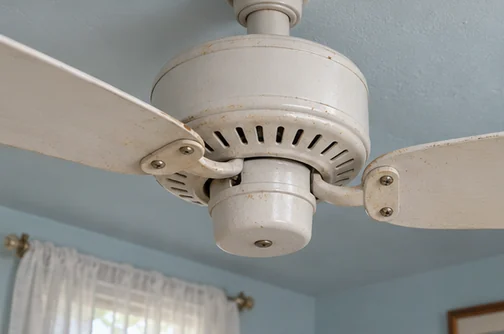
Short answer: Clicking usually means a loose blade or blade holder, rattling often a loose light glass, and humming often a wall control or remote receiver that doesn’t suit the fan. Tighten the screws, check the blades, glass and bulbs, and note what makes it hum. Crackling, sizzling or a burning smell means turn it off and call an electrician or the maker.
Check the warning signs below first.
Use this guide at your own risk. It’s general information, not professional advice. By using it, you agree to our Terms of Use and Safety Waiver.
Check for danger first
If any of these are present, stop here.
- Gas odor, smoke or fire. Leave immediately. From outside, call emergency services. For a gas odor, also call the gas utility. Leave lights and switches alone.
- Burning smell, scorch marks, a hot outlet or a buzzing panel. Stop and call an electrician. Stay clear of a suspect panel.
- Water near electrical equipment or exposed wiring. Keep away. Never cross water to reach a plug or breaker. Call a qualified electrician.
None of these warning signs? Open the checks
What to check
Have ready. A sturdy ladder, a screwdriver, the fan’s manual, and a note of whether the noise comes with the light, a wall control or a remote.
Tighten the screws and check the blades.
With the fan off at the wall and fully stopped, tighten the screws on each blade and blade holder. Clicking is most often one of these. Look down each blade for a curve or crack; a warped or cracked blade can squeak or hum and needs replacing.
Check the light glass and bulbs.
If the glass rattles, make sure it’s seated and hand-tighten its thumb screws. Check that the bulbs are the wattage the manual lists, since the wrong bulbs can cause a hum.
Notice what makes it hum.
A hum that comes and goes with a wall dimmer or speed control often means that control doesn’t suit the fan. If the fan uses a remote, a failing receiver can hum. Check the manual for the controls your model works with.
Don’t oil it unless the manual says to.
Most ceiling fans are sealed and never need oil. A few models, such as the Hunter Original, use oil. Add only the oil the maker names, as the manual describes.
When to stop. If you hear crackling or sizzling, smell burning or hot plastic, or the hum comes from the wall switch or wiring, turn the fan off at the wall and stop using it. Call a licensed electrician for wiring or control problems, or the fan’s maker about the motor.
What it costs
- The checks above: free.
- Pro repair for a humming or squeaky fan: $50–$200.
- Bigger fixes: new bearings, $80–$175; a new motor, $100–$350.
- Ceiling fan repair in general: $141–$391 on average.
National US ranges from 2025–2026 cost guides: Fixr · Thumbtack. Prices in your area may differ.
Common causes
- Loose blade or holder screws. Clicking is most often caused by a loose blade or loose blade holder screws. You can check
- Loose light glass. A light globe that isn’t seated or held snug by its screws rattles as the fan runs. You can check
- Warped or cracked blade. Warped or broken blades can make the fan squeak or hum. You can check
- Wall control that doesn’t suit the fan. Light dimmers and some speed controls often make a fan hum. Call a pro
- Failing remote receiver. A defective receiver inside the fan can make a humming noise. Call a pro
- Worn bearings or motor. Worn bearings rub or hum, and a defective motor can buzz; rule out the other causes first. Call a pro
Sources: Hunter Fan · Hunter Fan support · Hunter light kit manual · Hunter Fan oil FAQ · Fixr.
Further reading · Hunter Fan
Still stuck? Get help with your exact problem.
Snap a photo and tell the app what you’ve tried. It walks you through your model, one safe step at a time, and tells you when to call a pro. Your first fix in the app is free.
The app is coming soon. Get one email the day it launches.
One email when the app launches. No spam. Privacy Policy