
Sprinkler system not turning on
Check the power, rain sensor, settings and water supply that most often keep a sprinkler controller from watering.
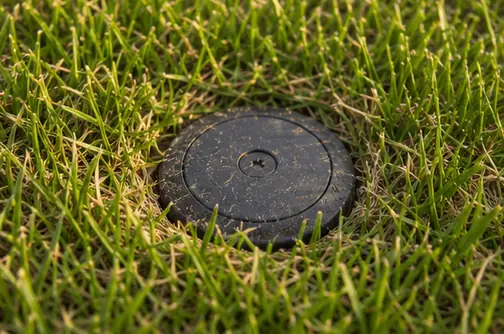
Short answer: Most often the controller has lost power, the rain sensor or a rain delay is stopping it, or the dial and schedule aren’t set to run. Check those and make sure the water is on. If zones still won’t run, valves or wiring need an irrigation pro.
Check the warning signs below first.
Use this guide at your own risk. It’s general information, not professional advice. By using it, you agree to our Terms of Use and Safety Waiver.
Check for danger first
If any of these are present, stop here.
- Gas odor, smoke or fire. Leave immediately. From outside, call emergency services. For a gas odor, also call the gas utility. Leave lights and switches alone.
- Burning smell, scorch marks, a hot outlet or a buzzing panel. Stop and call an electrician. Stay clear of a suspect panel.
- Water near electrical equipment or exposed wiring. Keep away. Never cross water to reach a plug or breaker. Call a qualified electrician.
None of these warning signs? Open the checks
What to check
Have ready. Your controller’s brand and manual, a flashlight and fresh batteries if you use a battery hose timer.
Check the power.
If the display is blank or shows NO AC, check the breaker and make sure the controller is plugged in. It may be on a GFCI outlet that has tripped; press RESET once. A backup battery keeps the program during an outage but won’t run the sprinklers. Battery hose-end timers need fresh batteries.
Check the rain sensor and rain delay.
An active rain sensor stops schedules on purpose. Let a wet sensor dry, or set the sensor to bypass or Sensor OFF to test. If watering starts, the sensor was working. Cancel any rain delay as your manual shows.
Check the dial and schedule.
Set the dial to AUTO or AUTO RUN. Make sure the clock, start time and watering days are set. If your controller has Seasonal Adjust, 100% runs every station for its full programmed time.
Make sure the water is on.
The controller can show a program running while no water reaches the system. Check that the water supply to the sprinklers is on. If you don’t know which valve feeds it, or it was shut off for winter, call an irrigation pro.
When to stop. If the controller has power and the settings are right but zones still won’t run, or one zone stays dry, stop and call an irrigation professional. Valves, buried wiring and backflow devices need a pro.
What it costs
- The checks above: free.
- Pro sprinkler repair: $151–$534, often about $210.
- Common fixes: a new valve, $100–$250; a new timer, $148–$268.
National US ranges from 2025–2026 cost guides: Fixr · Thumbtack. Prices in your area may differ.
Common causes
- Rain sensor active or rain delay on. A wet or active sensor, or a rain delay, stops scheduled watering by design. You can check
- No power to the controller. A tripped breaker or GFCI, or an unplugged controller, stops watering; a backup battery alone won’t run it. You can check
- Dial or schedule settings. A dial not in AUTO, missing start times or a Seasonal Adjust setting can keep programs from running as planned. You can check
- Water supply off. If the main line or the supply to the system is shut, the controller runs but nothing waters. You can check
- Valve problem. A stuck or failed valve has to be cleaned, repaired or replaced. Call a pro
- Loose or damaged wiring. Loose, corroded or cut field wires keep the controller’s signal from reaching the valves. Call a pro
Sources: Rain Bird ESP-2WIRE guide · Rain Bird WiFi controller · Rain Bird hose-end timer.
Further reading · Rain Bird
Still stuck? Get help with your exact problem.
Snap a photo and tell the app what you’ve tried. It walks you through your model, one safe step at a time, and tells you when to call a pro. Your first fix in the app is free.
The app is coming soon. Get one email the day it launches.
One email when the app launches. No spam. Privacy Policy