
Samsung dishwasher not draining
Standing water in a Samsung dishwasher? Drain it once, clean the filter the Samsung way and read the code before you call for service.
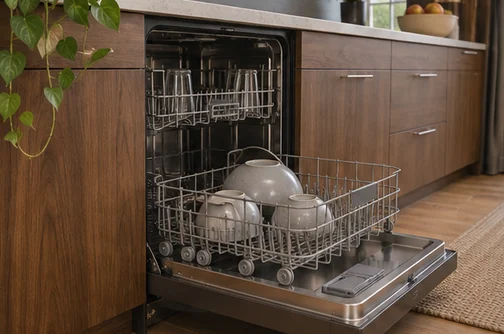
Short answer: Cancel the cycle and drain once, turn the power off and clean the Samsung filter, then read any error code and check the sink side. If water still stands, book Samsung service or an appliance technician. The drain pump isn’t a homeowner repair.
Check the warning signs below first.
Use this guide at your own risk. It’s general information, not professional advice. By using it, you agree to our Terms of Use and Safety Waiver.
Check for danger first
If any of these are present, stop here.
- Gas odor, smoke or fire. Leave immediately. From outside, call emergency services. For a gas odor, also call the gas utility. Leave lights and switches alone.
- Burning smell, scorch marks, a hot outlet or a buzzing panel. Stop and call an electrician. Stay clear of a suspect panel.
- Water near electrical equipment or exposed wiring. Keep away. Never cross water to reach a plug or breaker. Call a qualified electrician.
None of these warning signs? Open the checks
What to check
Have ready. Your model number (on the edge of the door or tub), the owner’s manual, a towel and a soft brush.
Cancel and drain once.
On most models, press and hold Start for 3 seconds; some models have a button labeled Cancel & Drain. Child Lock blocks it. If the water pumps out, run a short cycle to check it drains normally.
Turn the power off, then clean the filter.
Switch off the dishwasher at its breaker or unplug it, and wait if the water is hot. On models with a removable filter, take out the lower rack, hold the lower spray arm, turn the filter in the center of the tub bottom counterclockwise and lift it out. Rinse it and turn it clockwise until it locks: a filter that isn’t seated correctly can cause drain errors.
Read the code.
5C, 5E, OC or OE point to a drain problem; models without a display flash a light pattern instead. After an installation, a drain hose pinched under the unit is a common cause, which needs the installer. Codes and button names vary by model, so check your manual for your model number.
Check the sink side.
If you have a small air gap cap behind the faucet, lift it off and clear any debris. If the dishwasher was just installed with a new garbage disposal, the disposal’s knockout plug may still be in place, which needs the installer or a plumber. Don’t use drain cleaner in a dishwasher.
When to stop. If water still stands or the code comes back after cleaning the filter, stop and book Samsung service or an appliance technician. The drain pump sits under the tub and is not a homeowner repair.
What it costs
- The checks above: free.
- Pro dishwasher repair: $100–$300, often about $200.
- Common fix: a new drain pump, $150–$400.
- Repair visits usually start with a $50–$150 service call, often credited toward the repair.
National US ranges from 2025–2026 cost guides: Fixr · Thumbtack. Prices in your area may differ.
Common causes
- Clogged filter. Food and grease build up in the filter at the bottom of the tub and slow or stop draining. You can check
- Paused or interrupted cycle. Opening the door or a power blip mid-cycle can leave water in the tub until the cycle finishes or drains. You can check
- Clogged sink drain or disposal. The dishwasher drains into the sink plumbing or disposal, so a clog there backs water up. You can check
- Kinked drain hose or clogged air gap. A bent hose under the sink, or a clogged air gap cap on the counter, blocks the water’s way out. You can check
- New disposal with its knockout plug still in. A newly installed disposal has a plug inside its dishwasher inlet that has to be removed. Call a pro
- Failed or jammed drain pump. If the filter and drain path are clear, the pump under the tub may have failed. Call a pro
Sources: Whirlpool · GE Appliances · Bosch.
Further reading · Samsung · How To Fix It is not affiliated with Samsung. Button names and codes vary by model; check your owner’s manual.
Still stuck? Get help with your exact problem.
Snap a photo and tell the app what you’ve tried. It walks you through your model, one safe step at a time, and tells you when to call a pro. Your first fix in the app is free.
The app is coming soon. Get one email the day it launches.
One email when the app launches. No spam. Privacy Policy